 CleanCat
CLEANCAT / PRODUCT STORY
A cat, and its space magic
Turn organizing your photo library into a beautiful trip down memory lane.
The cat
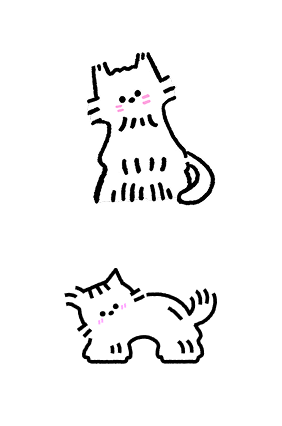
A few years ago, a designer I worked with left me this cat. It was sweet, distinctive, and I became very fond of it. When I started making CleanCat, bringing it into the app felt natural: a companion for the long, sometimes difficult work of sorting through photographs and memories. Having a small cat nearby makes it feel a little lighter. One day, I hope people can bring their own cats into CleanCat. Being accompanied by the cat you know best would be even better.
The earth
I wanted choosing a language to feel immediate and a little playful. So the language picker in CleanCat is an earth you can turn: bring your country into view, and the languages spoken there are right in front of you. CleanCat currently supports 14 languages across 114 countries and regions. Language becomes more than a line in Settings; it marks the place where you and CleanCat meet on this planet.
The portals
CleanCat offers three ways to handle a photo: delete it, hide it, or archive it. The first idea was not a set of portals, but three cat houses. An angry cat in the delete house would tear apart anything passed inside. A secretive cat would hide everything it received. In the archive house, a studious cat with glasses, rather like a librarian, would put everything neatly in order. Once design began, those scenes proved too detailed for such a small space. The cat houses became simple portals, and our cat naturally became a magical one, able to summon three different passages and send each photo where it belongs.
Similar groups
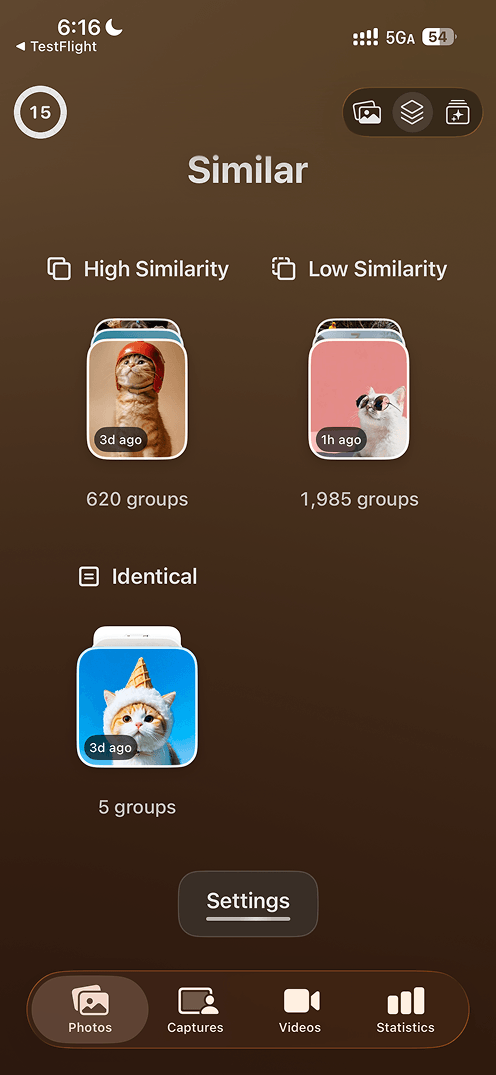
You have probably met this small frustration in some other app: photos that do not really look alike end up in the same group, and the quick bulk delete turns back into an item-by-item judgement call. So CleanCat splits similarity into three kinds: identical, high similarity, and low similarity. Identical covers the near-repeats: duplicate saves, or the same frame cropped a little differently. Between high and low similarity there is no fixed line; both thresholds are yours to set. Strict or loose, that choice should belong to the person actually doing the sorting.
Two columns
Sometimes sorting photos calls for a faster pass rather than a longer look. That is why CleanCat has a two-column mode, which puts four items in front of you at once. It gives up some of the pleasure of the single-column view, but when you are working through a group of shots or a pile of screenshots, it moves far more quickly. Switch back to a single column when you want to linger; stay in two columns when you are ready to decide.
Some good company
While building CleanCat I downloaded a great many of its relatives and used each of them for a while. Standing on the shoulders of the people who went before, and then adding a few ideas of my own, is a large part of why this app looks the way it does. My favourites are 去留 and Pool, and I learned a great deal from both. (Put bluntly, I may be getting uncomfortably close to copying them.) Each of them has its own excellent ideas, and both are worth a look.
What comes next
Next, I want to add an in-app feedback channel to CleanCat. What it grows into should be decided together with the people who use it, so anything that feels awkward, or any preference worth remembering, can be told to me directly. For my own part, two things still matter most. Smarter grouping and related content, so that photos, screenshots, and videos that belong together are connected. And more efficient screenshot management, so that everything saved for “later” does not simply sit there.